
Seamless Texturing at Scale: UDIMs in RapidPipeline
If you’ve ever tried to texture a detailed 3D asset and felt limited by resolution, you’re not alone. Stretching a single UV map across an entire model often means making trade-offs, either sharp details in one area or acceptable quality everywhere.
That’s exactly where UDIMs come in. And now, RapidPipeline makes creating them effortless — and fully compatible with Substance 3D Painter.
Create 3D digital twins for CGI & XR, faster than ever.
Turn your raw 3D or CAD into realistic digital twins.
What Makes UDIMs So Useful?
Think of UDIMs as a way to expand your texture space beyond a single square.
Instead of squeezing everything into one UV tile, your model gets multiple tiles, each with its own texture. The result?
Higher resolution where it matters
Consistent detail across the entire asset
No more painful compromises
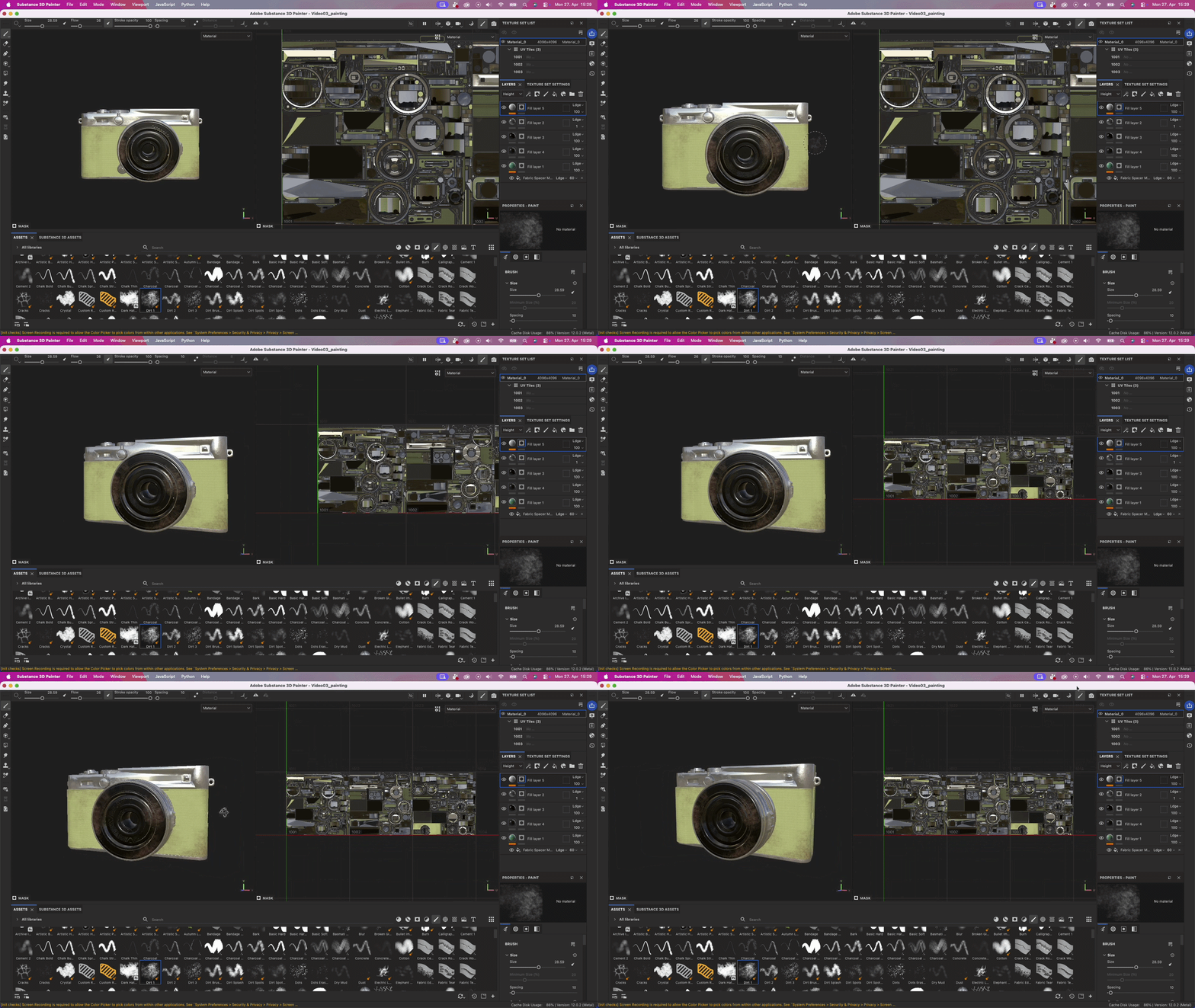
And the best part: in tools like Substance Painter, it all feels like one continuous surface when painting.
From Complex Workflow to One Click
Traditionally, setting up UDIMs could be… let’s say tedious.
Manual UV splitting, naming conventions, export quirks — it adds up fast.
With RapidPipeline, it’s reduced to a few simple steps:
🧩 1. Import Your Model
Bring your asset into any RapidPipeline environment.
In this example, I will use the Blender plugin, but the workflow is the same across integrations.
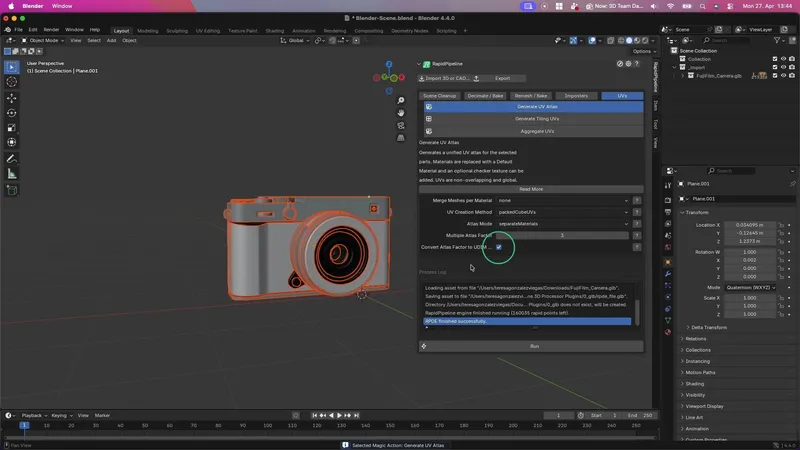
🛠️ 2. Generate UDIMs Automatically
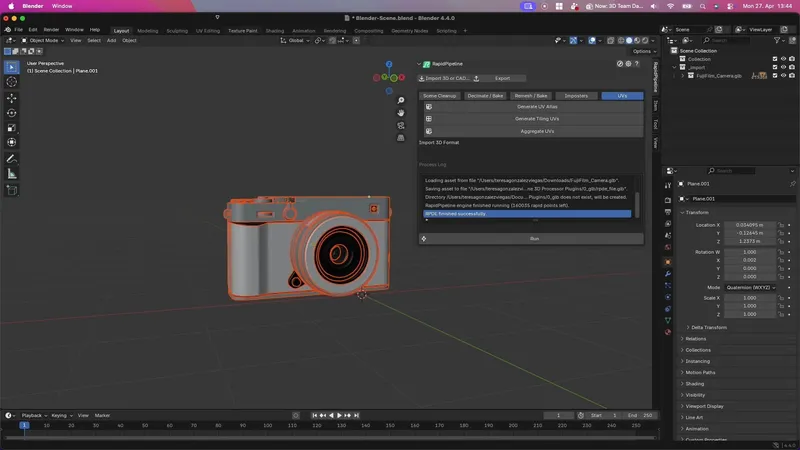
Inside the Generate UV Atlas action:
Increase the Multiple Atlas Factor to your desired UDIM number (should be >1)
Enable Convert Atlas Factor to UDIM Layout
That’s it! With these 2 settings, you can determine how many UDIM tiles are created, giving you control over texture density without manual work.
📦 3. Export for Texturing
Export your model in a UDIM-compatible format like FBX or USD.
These formats preserve the multi-tile UV layout, so everything transfers cleanly into your texturing workflow.
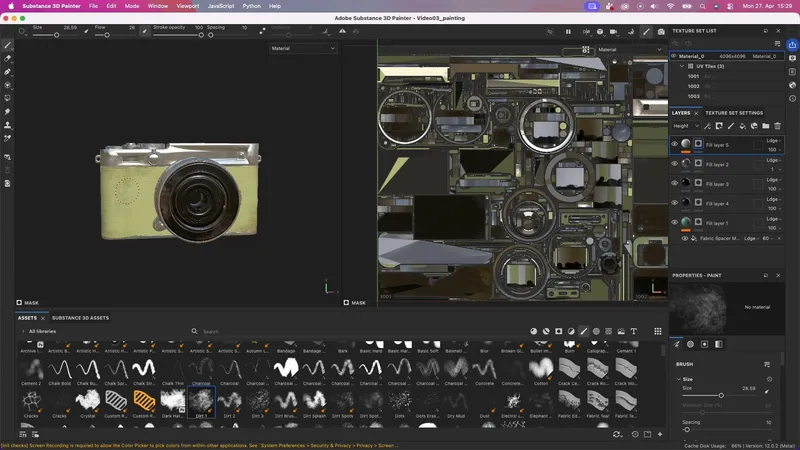
🎨 4. Paint Seamlessly in Substance
When importing into Substance Painter:
Enable “Use UV Tile Workflow”
Now your model loads with multiple UDIM tiles and you can paint across them as if they were one surface.
No seams. No switching. Just smooth, high-resolution texturing.
Create 3D digital twins for CGI & XR, faster than ever.
Turn your raw 3D or CAD into realistic digital twins.
Why This Matters
UDIMs aren’t just a technical feature, they unlock better results:
Products → consistent branding and surface quality
Large assets → scalable detail without exploding file sizes
Characters → crisp facial detail + efficient body textures
And RapidPipeline turns this traditionally complex workflow into a simple toggle, so you can focus on what actually matters: creating great-looking assets.
Meet the Author
Teresa
Technical 3D Artist
Teresa is a 3D Technical Artist at DGG, bringing with her a robust background in Animation and Game design. Driven by a passion for the intersection of art and technology, she relocated to Germany to pursue her artistic ambitions. Within DGG, Teresa plays a pivotal role in infusing the team with her artist's perspective, focusing on the creation of high-quality visual content and ensuring the quality assurance of tools. Her overarching goal is to continually evolve within the industry, delivering compelling visual solutions that resonate with DGG's mission of streamlining and scaling 3D content preparation.
You might be interested in