3D Model of the Month - Atlas Aggregation + Flattening (The Game Restaurant Series #02)

Introduction
When we talk about 3D optimization, we usually think of polygon reduction and texture baking with new UVs. And yes, those are powerful tools, but they’re only part of the story. Optimization can go much further, especially when you want to keep visual fidelity intact.

In this edition of our Model of the Month from The Game Restaurant Series, we zoom in on a deceptively simple asset: the posters. They’re colorful, flat, and seemingly harmless, yet they’re a perfect example of why node structure and texture organization matter just as much as geometry. Let’s take a closer look.
1. Optimizing Without Reducing Faces: Why Nodes Matter


Every 3D model is built from nodes. You can think of them as the individual parts that make up a model. Nodes may have parents and children, forming the internal structure of the asset. Now, here’s where performance comes into play.
When a model is used in a real-time application like a game engine, it needs to be “drawn” on screen. Each time the engine draws a node (or a group of nodes), it issues what’s called a draw call.
More nodes usually mean more draw calls, and more draw calls mean more work for the CPU, even if the geometry itself is very simple.
So, while a scene might look lightweight in terms of polygon count, an excessive number of nodes can quietly hurt performance.
Best-in-Class 3D Processing in Your Favorite Tools.
100% Local Processing via Desktop Software.
2. How do nodes get optimized?
The most effective way to optimize nodes is straightforward in theory: reduce their number.
In a large environment like our restaurant scene, performance can drop quickly if every small object (screws, signs, posters, props) exists as its own node. If those same elements are merged intelligently, the engine can render them far more efficiently.

Of course, node merging should never be done blindly. Common and safe strategies include:
By opacity - Merge only nodes with the same opacity type (fully opaque, or with transparency). This avoids unwanted transparency issues.
By material - Nodes that share the same material can often be merged safely. This is especially useful for assets with many small parts, such as kitchen appliances, machines, or mechanical props.

All-in-one merging - For relatively simple or similar assets (like our posters) merging everything into a single node makes perfect sense and keeps the asset easy to manage.

With RapidPipeline, this process is effortless thanks to the Node Flattening Action, available directly inside the Unreal Engine plugin.
3. The Colorful Side of Optimization: Materials, Textures & Performance
Materials and textures follow a similar logic. Each material change can trigger additional draw calls, and each texture contributes directly to the memory footprint of your asset. A model using many small textures might look harmless, but it can quickly become expensive in terms of loading times, GPU memory, and streaming performance.
In short:
- More materials → more draw calls
- More textures → larger asset size
Optimizing materials isn’t just about visuals, it’s about making your assets scalable and engine friendly.
Best-in-Class 3D Processing in Your Favorite Tools.
100% Local Processing via Desktop Software.
4. Optimizing Textures Without Changing UVs
When material optimization comes up, baking is usually the first thing people think of. Baking consolidates multiple materials into new textures, but it also means changing or regenerating UVs, which isn’t always desirable.
What if you want to keep the original, artist-crafted UVs? This is where Atlas Aggregation comes in.
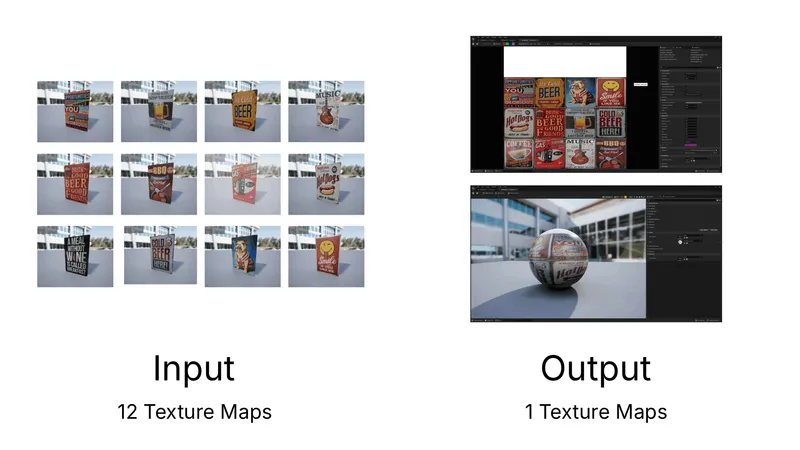
Instead of baking, Atlas Aggregation takes existing texture atlases and packs them together into a new one, without distortion or deformation. The UV islands are simply scaled and repositioned, preserving their original layout and proportions.
In the case of our posters:
- Each poster originally used its own texture atlas
- Atlas Aggregation combines them into a single atlas
- UVs remain intact and recognizable
This approach is ideal when visual accuracy matters or when you want to preserve handcrafted UV work while still reducing material and texture count.
5. Game Restaurant Series
Want more practical optimization tips like this?
In our Models of the Month: The Game Restaurant Series, we break down how a large Unreal Engine scene can be optimized efficiently (asset by asset) using RapidPipeline.
From creating foliage impostors to node flattening and texture aggregation, the series highlights real-world workflows that scale.
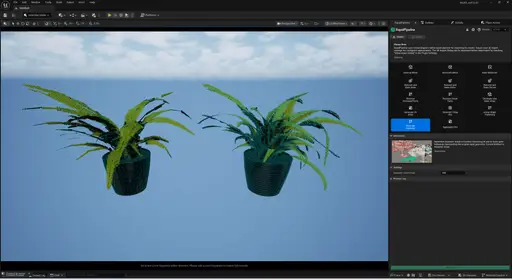
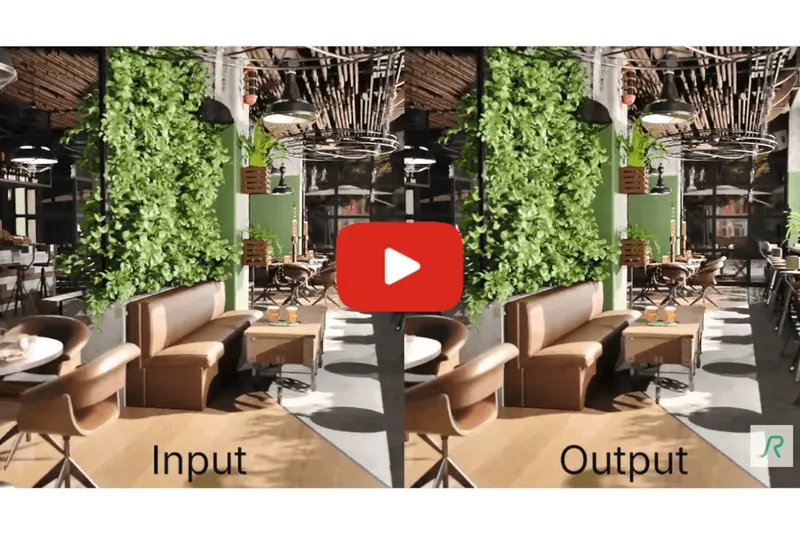
👉 Check out our first article on imposterization for foliage to see how it all started. You can also see the whole overview in the video below.
6. The Result
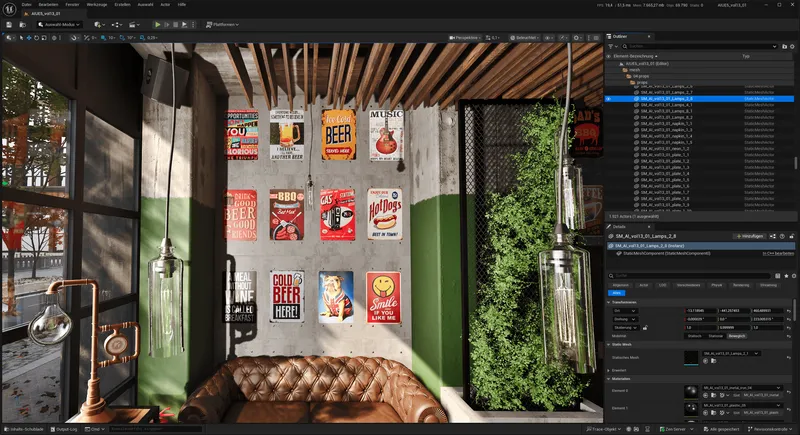
After applying Node Flattening and Atlas Aggregation, our posters are lighter, cleaner, and much easier to handle in real-time. They’re ready for use in Unreal Engine, and just as easy to export for web viewers or other platforms.

Curious to try Atlas Aggregation or Node Flattening yourself? You try out these and more features in our plugins for Unreal Engine, Maya, 3ds Max, Blender, and Substance Painter.
Optimization doesn’t always mean sacrificing detail; sometimes it just means being smarter about structure.
Best-in-Class 3D Processing in Your Favorite Tools.
100% Local Processing via Desktop Software.
Meet the Author

Teresa
Technical 3D Artist
Teresa is a 3D Technical Artist at DGG, bringing with her a robust background in Animation and Game design. Driven by a passion for the intersection of art and technology, she relocated to Germany to pursue her artistic ambitions. Within DGG, Teresa plays a pivotal role in infusing the team with her artist's perspective, focusing on the creation of high-quality visual content and ensuring the quality assurance of tools. Her overarching goal is to continually evolve within the industry, delivering compelling visual solutions that resonate with DGG's mission of streamlining and scaling 3D content preparation.
You might be interested in