

How to Bake Materials in Autodesk Maya
General Information
This guide is part of the RapidPipeline 3D Plugin Actions Knowledge Base. It shows how to Bake Materials on Autodesk Maya; if you'd like to know more about it, please check out the following links:
Best-in-Class 3D Processing in Your Favorite Tools.
100% Local Processing via Desktop Software.
Tutorials & Videos
- Open Autodesk Maya and ensure the RapidPipeline plugin is installed and enabled. See the official guide: action docs for parameter details and recommended defaults.
- Run the action. Inspect results and iterate as needed.
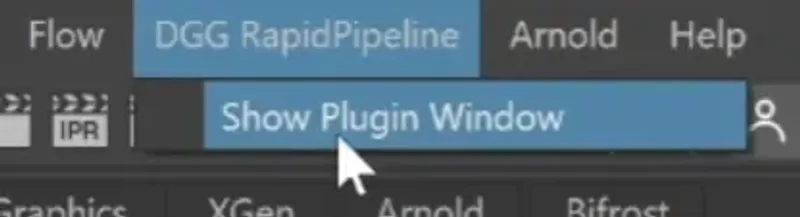
- How to invoke the Maya Plugin
- Adjust settings for the "Bake Materials" action
- Run the process
- Examine the results
This tutorial shows how use the RapidPipeline Processor Plugin in Maya to combine and bake four materials into a new single material, all automatically. For more information see the Maya Plugin Documentation.
The Add-On runs on a powerful 3D data optimization and automation toolset, for more about this see the 3D Processor Reference.
The asset used in this tutorial (https://skfb.ly/6VnPP) by Belzar Sirus is licensed under Creative Commons Attribution (http://creativecommons.org/licenses/by/4.0/).
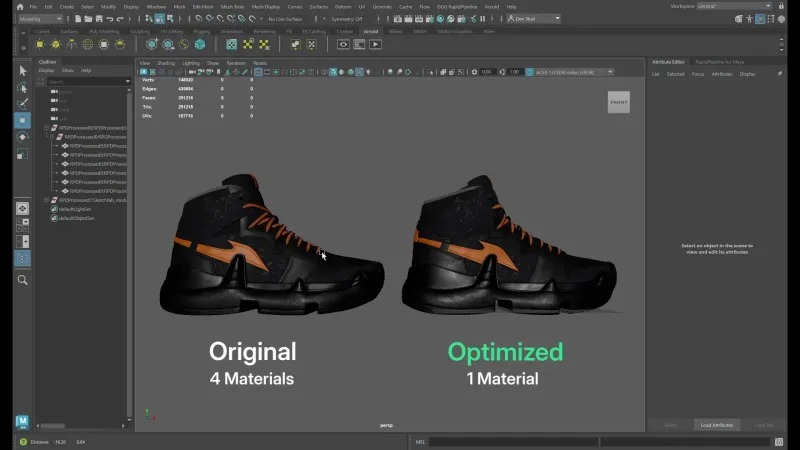
The shoe input versus output.
Here is a preview of the processing´s output: the input shoe (left) has four materials while the output (right) has been reduced to one material.
Bake Materials Action
- Select the model you want to optimize (if no selection is made, the whole scene will be processed). 1. Inside the plugin window choose the action Bake Materials. 1. Press the Run button.
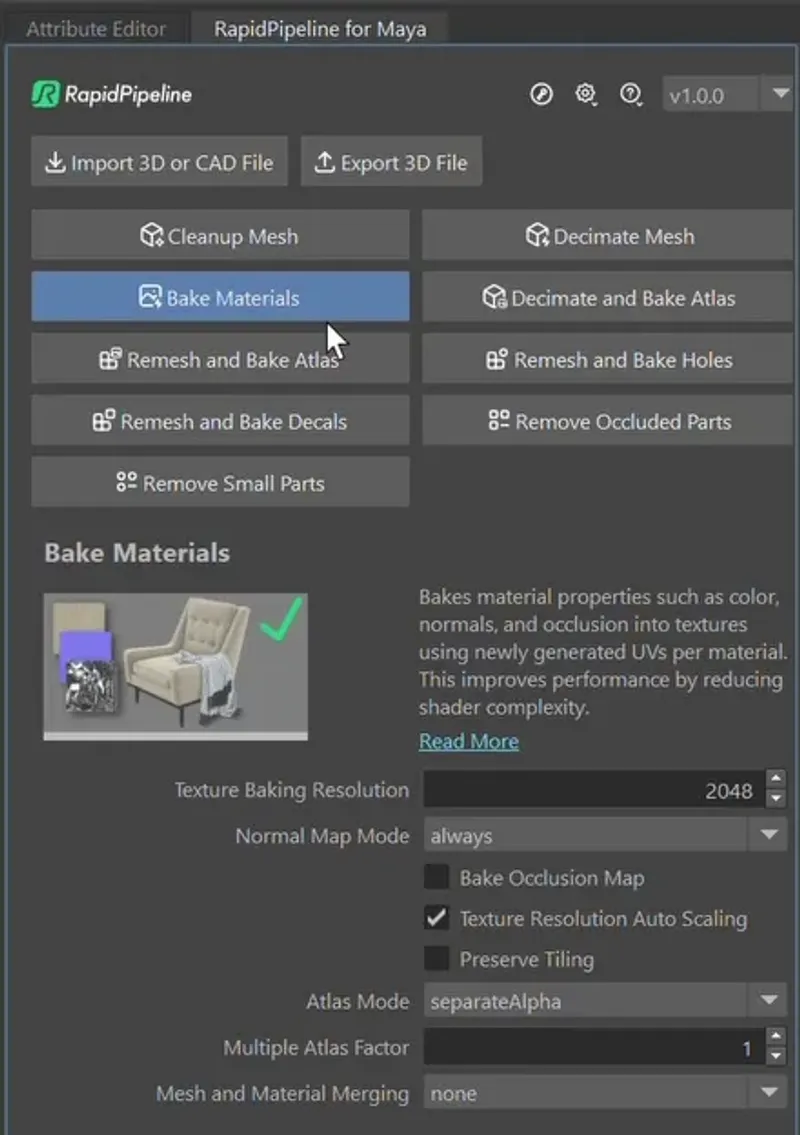
The Bake Materials action opened in the Plugin.
Examine the Results
The output now has only one material and three textures, but the same number of meshes as the input. This reduces the file size, and greatly improves draw calls for the exported asset, without sacrificing visual quality. And all in one click!
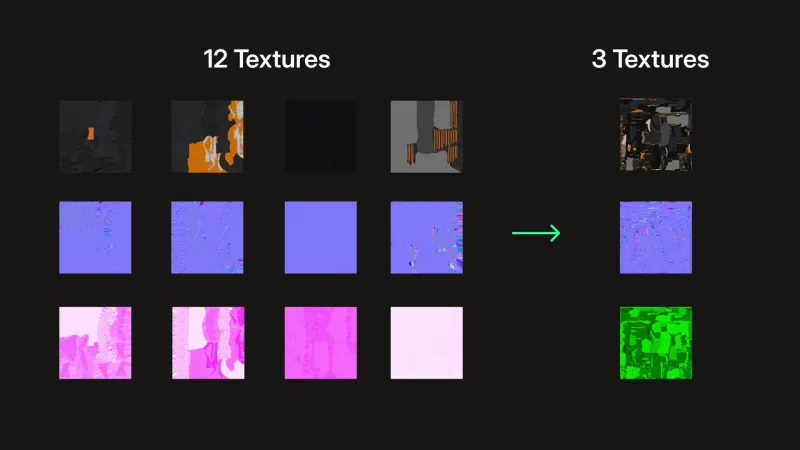
Screenshot of the textures, before and after optimization.
To get started with 3D data conversion and optimization today, sign up for a free account!
If you have any questions, feel free to chat with our human team.
Meet the Author

3D Knowledge Team
3D Technical Artists
RapidPipeline lets you convert, optimize and prepare your 3D models, easily. Try it today, or meet our human 3D experts. The Best-in-Class Tools for Your 3D Processing Jobs