3D Model of the Month - From CAD to Render-ready Digital Twins: RapidPipeline Twin Studio

01. Introduction
We’re excited to introduce two new actions dedicated to hole closing operations: Defeaturing Solid Holes and Fill Surface Holes.
These tools help streamline 3d model preparation by making it easier to remove unwanted holes and repair open surfaces efficiently, preparing the mesh for next steps like optimization.
02. This month’s model
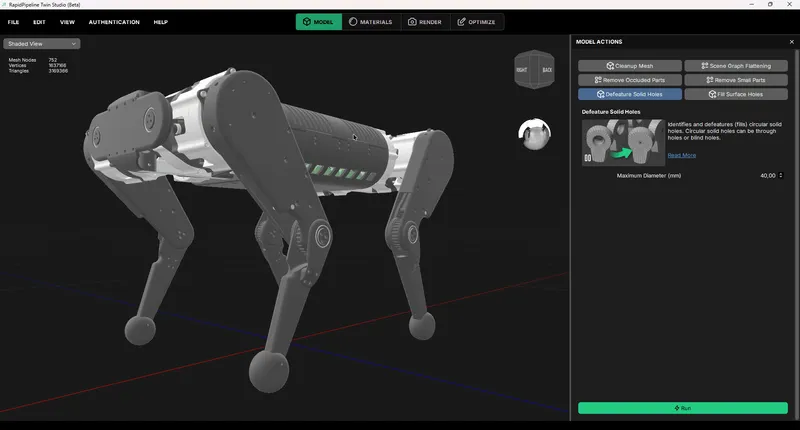
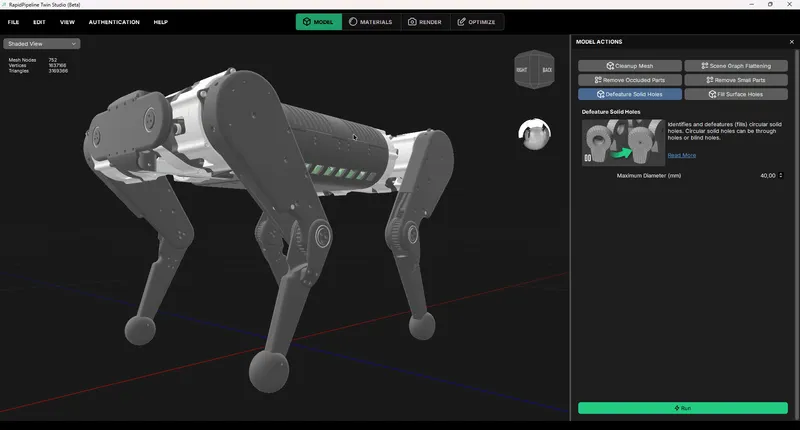
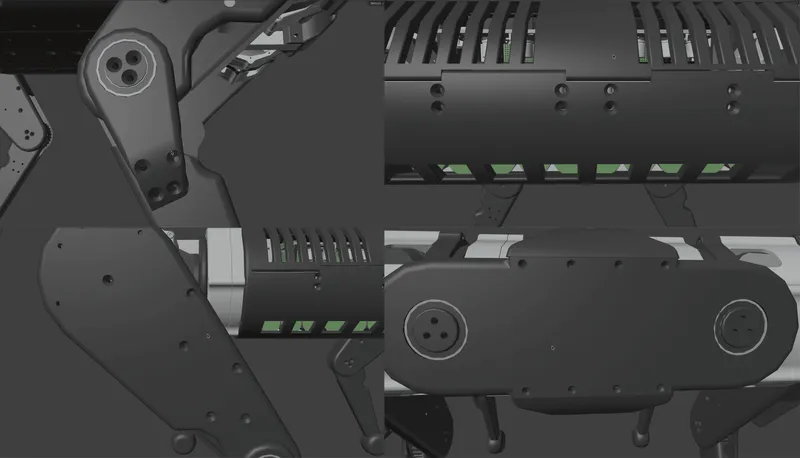
This month’s selected 3D model is a Robot Dog, Cooper. It is an open-source, fully 3D-printed quadruped robot dog designed by Vlad Mesa, featuring high-performance capabilities. This asset is a great example for medium complex CAD assembly, containing several intricate interior components (screws, bolts, circuit boards etc.) and numerous holes as seen in the images below.
You can follow along this post by downloading this model from the Github Repo here.
Create 3D digital twins for CGI & XR, faster than ever.
Turn your raw 3D or CAD into realistic digital twins.
03. Defeature and Fill Holes within RapidPipeline Twin Studio
In this post, we are using our standalone app: RapidPipeline Twin Studio (currently in Beta), which helps teams simplify CAD preparation workflows and move faster from engineering data to clean, structured, render-ready 3D assets. You can download it here.
Defeature Solid Holes
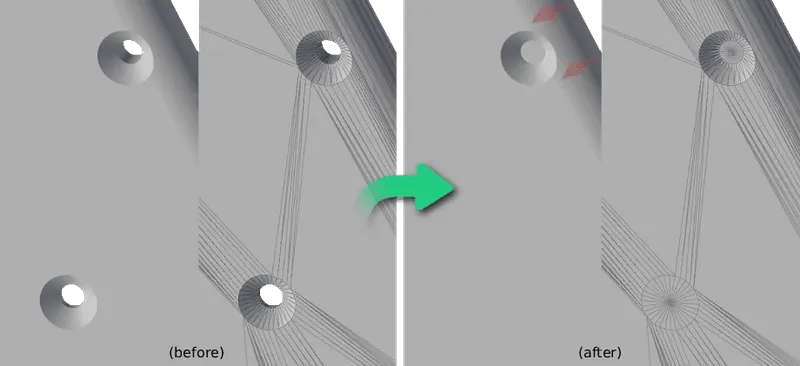
This process identifies and fills circular solid holes on flat surfaces. In our case, circular solid holes can be pass-through holes or dead-end holes.
Additionally, we provide a feature to filter the holes by the maximum diameter.
Currently, we only fill holes that are perfectly circular. Some holes are a bit elliptical, so they are not closing perfectly. However, we are actively working on updates to control how circular a hole must be, so stay tuned for updates!
Fill Surface Holes
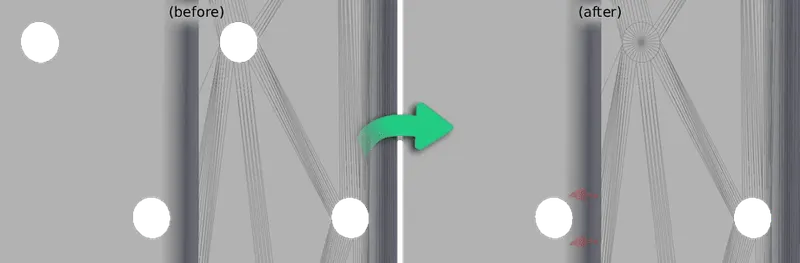
This option helps fill in circular holes on single-sided surfaces. A surface hole is a circular break in the continuity of a mesh or surface, where a 3D model no longer represents a closed, manifold volume. To fine-tune the process, you can define the maximum hole diameter, making it easier to target only the holes relevant to your workflow.
04. Optimization – Getting the Model Ready for Real-Time!
For this specific mesh, we will use the Defeature Solid Holes action. Simply select the action and press Run.
Looking at the output, you can see that all perfectly circular solid holes have been successfully closed.
The remaining holes were not processed because they are slightly elliptical due to their placement along curved edges. Since the current implementation only supports perfectly circular holes, these cases are intentionally ignored. 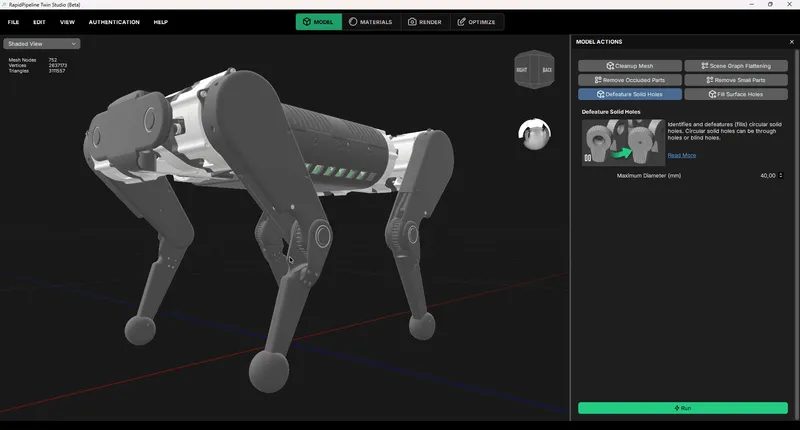
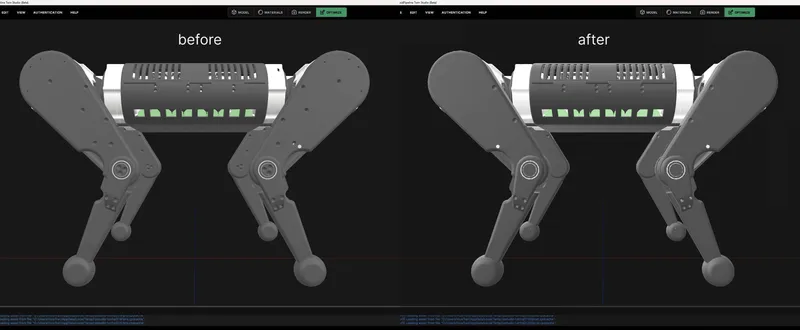
Let’s further optimize it in a few steps:
Cleanup Mesh
Now, we can run the action “Clean up Mesh” to recompute the normals.
Decimation
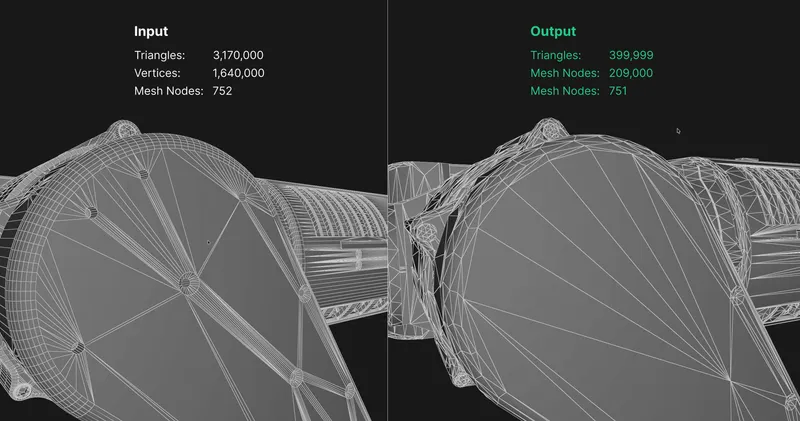
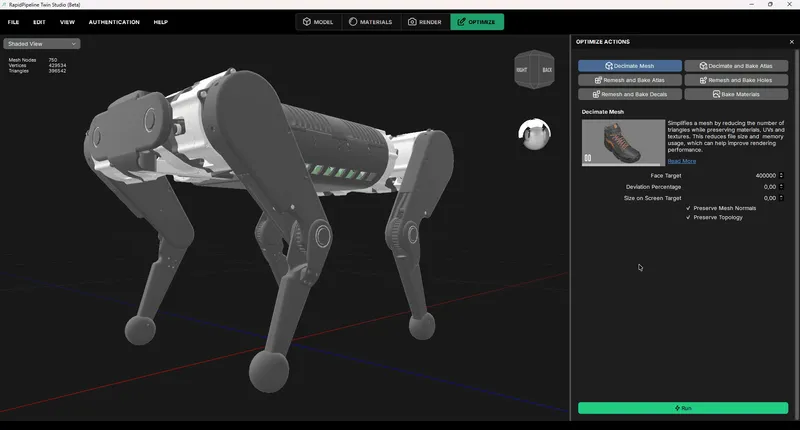
Then, the model is ready for any other optimization like decimation or baking. The “Decimate Mesh” action simplifies the mesh by reducing the number of faces while preserving the materials, textures and UVs.
Create 3D digital twins for CGI & XR, faster than ever.
Turn your raw 3D or CAD into realistic digital twins.
05. The Result: Fast, Easy and Render-Ready
With just a few clicks, those actions eliminate the time-consuming process of manually cleaning up holes! While the input mesh has over 3 million faces, the output model only has 400k faces. Now, your digital twin is ready for further use!
Those actions and model were used in a recent recent webinar, check it out here!
Meet the Author

Hue
Technical 3D Artist
Hue is a 3D Artist / QA Artist / UI+UX Designer at DGG. Working with leading retailers, DGG is on a mission to automate 3D asset optimization workflows for Web, mobile and XR targets - for e-commerce, and beyond. Hue has previously worked for firms that specialize in VR/Real-time projects and her field of expertise is 3D Environment Art and Unreal Engine.
You might be interested in